WORKOUT VIDEO IMPORT GUIDE
Turn a saved workout video into a plan
Clip2Fit turns public workout videos into editable routines. Share a TikTok, Instagram or YouTube link, review the exercises and sets, then follow the plan in the app. Saving the link is the starting point; reviewing the result makes it ready for your workout.
1. Share a public video link
Start with a video that shows or explains the workout you want to save. A clear sequence of exercises and visible or spoken sets and reps gives you more information to check against the finished plan.
TikTok workouts
Open the workout video and use TikTok’s Share menu. Choose Clip2Fit from the iPhone share options, or copy the video link and paste it into Clip2Fit. Use the individual video link, rather than the creator’s profile.
Instagram Reels
Open the Reel and use its share options. Send it to Clip2Fit if it appears in the iPhone share sheet, or copy the link and paste it in the app. A Reel from a private account may be visible to you but unavailable to import.
YouTube workouts
Use Share on the video or Short, then choose Clip2Fit or copy the link into the app. Review the extracted plan against the part of the video you intend to train, especially when the video includes several routines.
2. See what a plan contains
The Clip2Fit product demo uses a Glute Focused Leg Day plan. Here is the example shown on the landing page. It illustrates the editable output, not a training prescription or a promise that every import is exact.
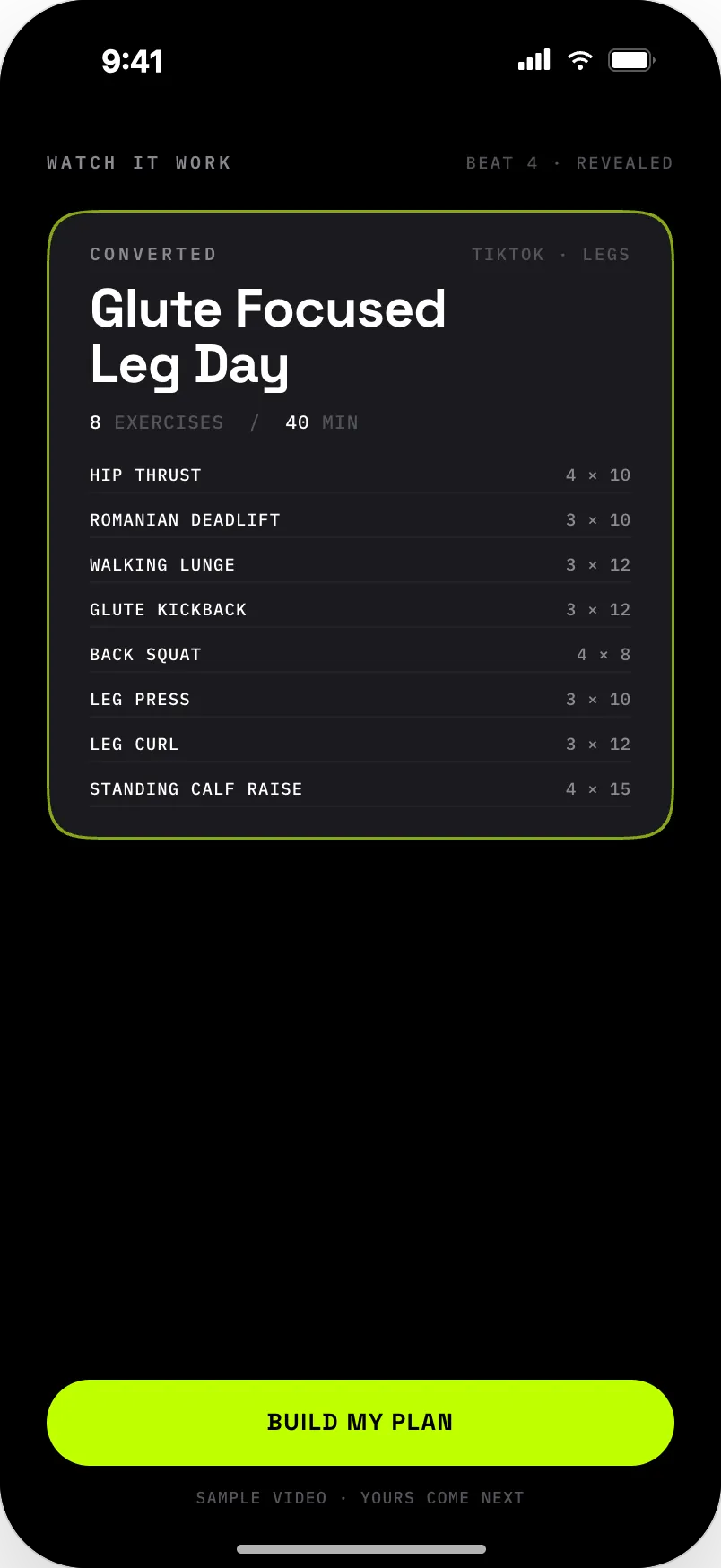
| Exercise | Sets × reps |
|---|---|
| HIP THRUST | 4 × 10 |
| ROMANIAN DEADLIFT | 3 × 10 |
| WALKING LUNGE | 3 × 12 |
| GLUTE KICKBACK | 3 × 12 |
| BACK SQUAT | 4 × 8 |
| LEG PRESS | 3 × 10 |
| LEG CURL | 3 × 12 |
| STANDING CALF RAISE | 4 × 15 |
3. Review the exercises, sets and reps
Video conversion can miss context or identify a movement incorrectly. Compare the result with the source. Check exercise names, equipment, set counts and rep targets. Edit the order or remove movements you do not want.
The FIT score compares a plan with your profile, including equipment, goals and reported limitations. Smart Coach proposes changes for you to review. Neither replaces your judgment or advice about an injury.
4. Follow the plan and log your session
Once you have checked the plan, use the workout runner to record sets, reps and weights. The rest timer helps you move between sets. Save the plan in your library and schedule it when you want to train again.
Which videos can I import?
Use public TikTok, Instagram or YouTube workout links. Private, deleted, login-restricted or region-locked videos may not be available. A video that opens in your signed-in account is not necessarily public.
Clip2Fit needs workout information to build a useful plan. A general fitness discussion or a montage without clear exercises may need more manual editing. You can also create a workout manually.
What is included for free?
The free tier includes one lifetime video import, unlimited manual workouts and unlimited logging. Premium adds unlimited imports and Smart Coach adaptation. See pricing and trial terms.
Need help with an import?
Check the original link and whether it is public. If a public workout still fails, visit Clip2Fit Support. Include the link and a short description of the problem.